
AIPresentationMakerforResearch-BackedDecks
Turn a topic, document, or link into a structured presentation. Felo researches, outlines, builds charts, and helps you edit slide by slide — then export to PPTX or PDF.
Built for market research, client proposals, academic reports, training decks, and multilingual presentations.
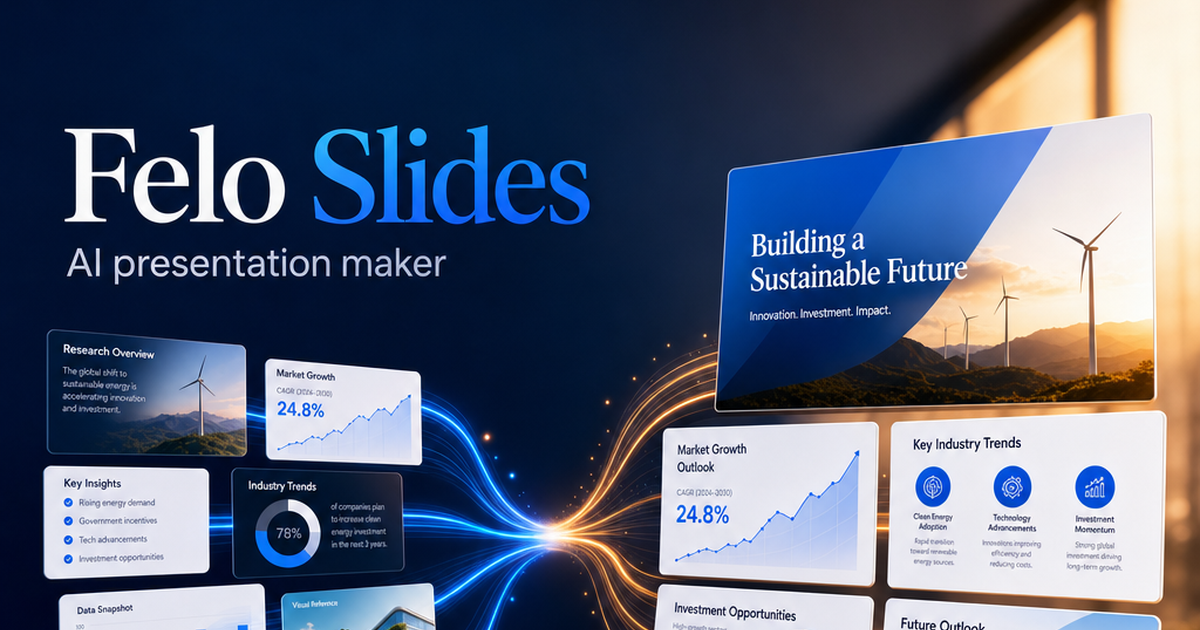
Start your AI presentation
Describe the deck you need, or bring source material. Felo is designed to research, structure, and generate slides you can refine.
Continue in Felo AI Slides to research, generate, and edit your deck.
From source material to presentation-ready slides
A useful AI presentation maker should handle the full path — not only a pretty first draft.
Bring a topic or source
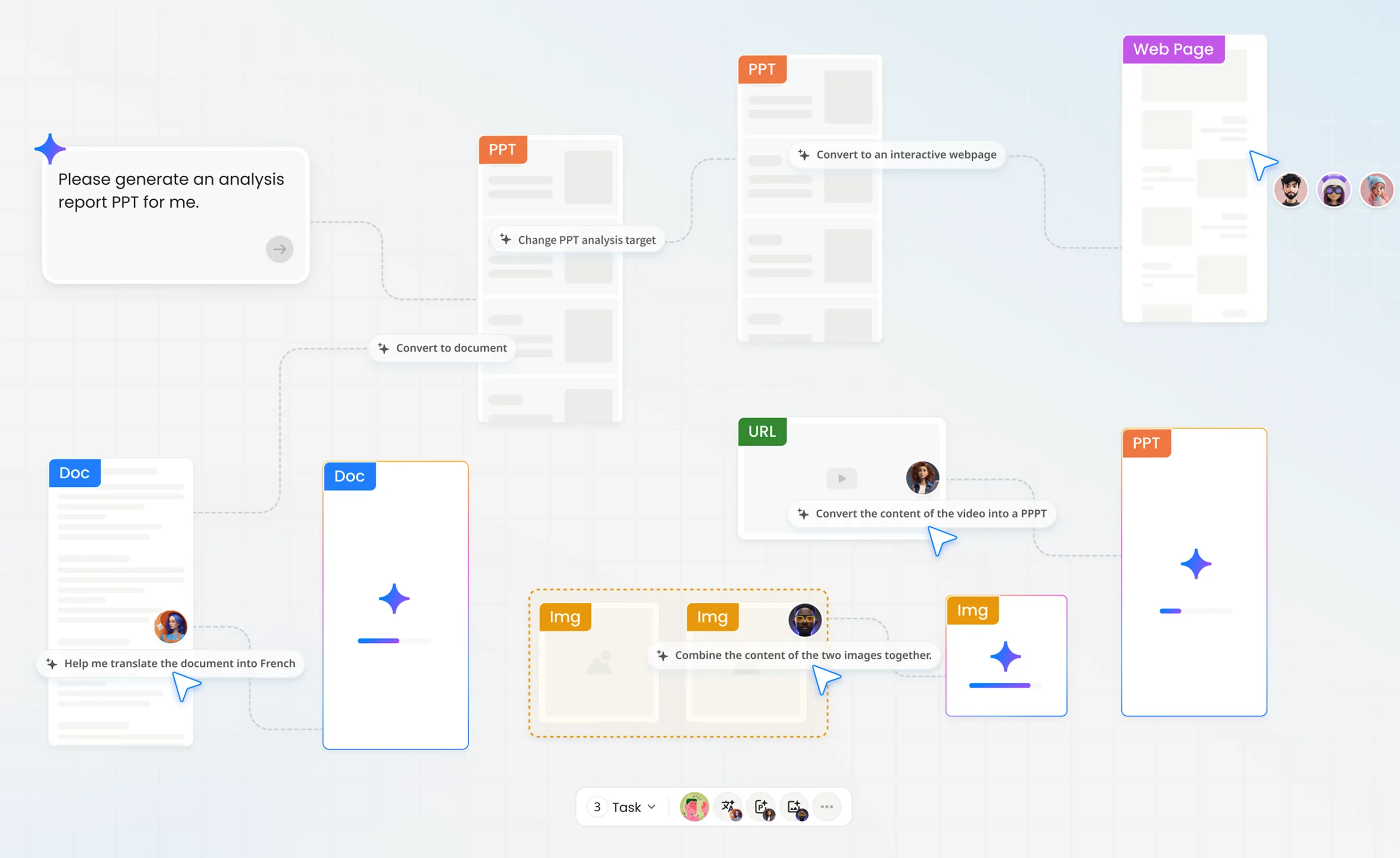
Start from a prompt, PDF, Word file, CSV, images, webpage, or video. Felo can convert source material into a deck structure instead of forcing you to start from a blank slide.
Research and structure the narrative
For topic-led decks, Felo gathers research, organizes the storyline, and builds an outline before locking visuals.
Generate charts, tables, and visuals
Create intelligent charts, tables, timelines, and data visuals for market research, strategy, and academic reports.
Edit slide by slide with AI
Rewrite a single page, convert content into a chart, change language, or adjust tone without regenerating the entire deck.
Present online or export
Share progress with online presenting, or export as PDF/PPTX for meetings, classrooms, and client handoff.
What to look for in an AI presentation maker
Speed matters, but so does whether the deck holds up when someone asks where a claim came from or needs a PowerPoint file.
1. Research depth
Prefer tools that can gather and structure research before designing slides, especially for market analysis, strategy, and academic work.
2. Source flexibility
Strong makers accept more than a prompt: PDFs, Word docs, CSVs, images, and web or video material should become usable slide structure.
3. Editable delivery
Decks should remain editable after generation. Slide-level rewriting, chart conversion, tone changes, and language changes reduce rework.
4. Brand and template control
Upload company templates so AI generation follows brand style instead of a generic default look.
5. Export and present options
Online presenting helps for live sessions; PPTX/PDF export matters for stakeholders who still live in PowerPoint and email attachments.
6. Multilingual output
Teams that brief stakeholders across languages need more than English-only generation.
Felo AI Slides is built around this checklist: research-backed generation, multi-source inputs, slide-level editing, brand templates, online presenting, multilingual decks, and PPTX/PDF export.
Built for decks that need evidence, not just design
Marketing and product teams
Create data-driven competitive analysis and product launch presentations without hopping between search, docs, and design tools.
Consultants and client-facing teams
Draft proposals quickly, then refine with brand templates and export to PPTX for stakeholder review.
Educators and students
Turn research findings or papers into lecture-ready and report-ready presentations with clearer structure.
Analysts and operators
Move from research notes and data files into charts, timelines, and recommendation slides for internal reviews.
Multilingual teams
Generate presentation versions across languages when the audience spans markets and regions.
Creators and solopreneurs
Use one free-to-start Felo workspace for research-to-slides instead of stacking separate research and design subscriptions.
How Felo fits among popular AI presentation options
People comparing AI presentation makers often look at Gamma, Canva, Genspark, and Microsoft 365 Copilot. The better question is which workflow you need: design-first drafting, full Microsoft embedding, or research-to-deck creation with export.
Best when you want research-backed generation from a topic or source files, slide-level AI editing, multilingual output, brand templates, online presenting, and PPTX/PDF export inside a broader AI workspace that also includes search, LiveDoc, agents, and office tools.
Best when you want a fast AI-native deck experience and card-based web presentation format. Consider export and credit limits carefully if PowerPoint delivery and heavy usage matter.
Best when design templates, brand kits, and visual polish are the main job. Strong for design-led slides; less of a research-to-deck system.
Best when you want an all-in-one AI workspace that can draft research and slides together. Compare pricing, credit transparency, and trust factors against your tolerance for multi-tool breadth.
Best when your team already works deeply inside PowerPoint and the Microsoft 365 stack. Evaluate seat cost and ecosystem fit if your knowledge work extends beyond Microsoft apps.
Table note: Pricing and plan details change frequently. Confirm current plans on each vendor site.
Also commonly compared in this category: Beautiful.ai and other design-first AI slide tools — evaluate them with the same checklist above.
Make your next deck research-ready
Start from a prompt or source file, generate a structured presentation, edit slide by slide, and export when you’re ready.
Free to start on Felo. Explore AI Slides inside the same workspace as search, LiveDoc, agents, and 54+ office tools.